Getting Things Done with Remember The Milk
In the rush to prove that web is suitable environment for applications, thousands of developers release tens of new software products every day. Sometimes I wonder how much bored you need to be to spend hundreds of hours on emulating desktop in the browser.
Fortunately, there are pearls in this flood of web apps. One of such gems is Remember the Milk, or RTM for short. In essence, it is a web-based to-do list with slick interface. RTM allows you to use keyboard shortcuts, prioritize, search and group your tasks by various criteria. It also has all these cool web-two-dot-ooh features, such as Ajax-enhanced interface, tags, feeds and tasks sharing. But don’t be afraid, everything seems to be well thought out. This app is great not because of the number of features, but because of their quality.
I started using RTM just after it was released, but I really got addicted after combining it with Getting Things Done (or GTD – pardon the acronym abuse). Getting Things Done is the title of David Allen’s book. This is also a name for his method of task management for busy people. Since I started to implement ideas from the book in the beginning of this year, I’ve been experiencing positive impact on my daily activities. While GTD is unlikely to magically extend your day by few hours, it can give you a comfortable feeling of control over your chores.
While waiting for money transfer from Mr Allen for the above marketing pitch, let me show you how I apply his method. Getting Things Done is based on few basic principles. Many of them can be easily mapped to Remember The Milk features.
Whenever the new piece of “stuff” appears on your radar, you have to decide whether it’s actionable. Non-actionable items include reference material and things that may be worth looking at later. I use RTM to store ideas I don’t have time to work on now, but that might be useful later. For example: ideas for next blog posts. To store them I created a separate list with the extremely original name Ideas. Remember The Milk allows attaching notes to each created item. (Side note: I use term item instead of task, since I store not only information about actionable undertakings, but about ideas or larger projects as well.) While notes are not perfect for holding large amount of text or multimedia, they can be useful to capture links and other crucial details.
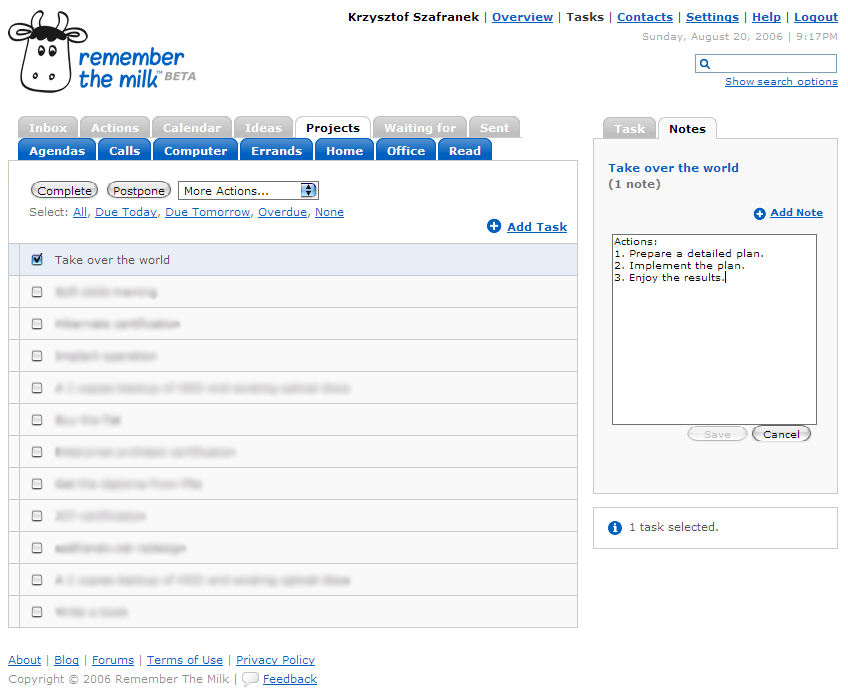
The second type of non-actionable items I save are the things that I must wait for, until somebody else completes them. For example I keep here information about the books I lent to my friends. This kind of “stuff” goes into the Waiting for list.
If there’s some item that requires action and consists of more than one step, then according to Mr Allen it’s a project. I devoted a separate list for Projects. If I already know what are the steps required to complete them, I attach an outline in the note.
The last two lists are used most often: Calendar and Actions.
David Allen emphasizes that calendar should never-ever be polluted with items that don’t necessarily have to be done on a certain day. I keep information about scheduled meetings and other things that make sense only on (or after) the given date in the Calendar list. This list should be your starting point. Tasks from here must be processed before you move to the unscheduled ones. If you keep away everything that it “would be nice” to have done at a certain day, you won’t end up overusing the Postpone button. I’ve been there, so you can believe me.
Finally, there’s an Actions list. This is a typical todo list, containing single-step tasks. Many of these are part of some project. It’s important to put here only the “next action”, and not several steps. Otherwise the list will become cluttered with items you can’t process now, without completing preceding steps first.
GTD requires you to empty your head from all the “stuff” that needs to be attended to, and store it in a “system” — the “system” being Remember The Milk in our case. When you’re done with categorizing, you’ll probably end up with a long list of actions. To process them effectively, it helpful to use another GTD concept: context. This a place or surrounding in which the action can be completed. For example, when you’re at home, you should be presented only with the list of things you can actually do there, not the office tasks, or the shopping list for a mall.
To achieve this effect in RTM I use so-called “smart lists”. I first assign to each action one of the following tags:
- agendas — meetings, public speaking and most of the things that involve other people
- calls — whenever I need to call somebody
- computer — things I can do on my computer (writing, programming, email)
- errands — things to buy, bills, paper mail
- home — everything I need to do at home
- office — as above, but at my workplace
- read — articles, blog post or books I can’t read now but I don’t want to lose track of
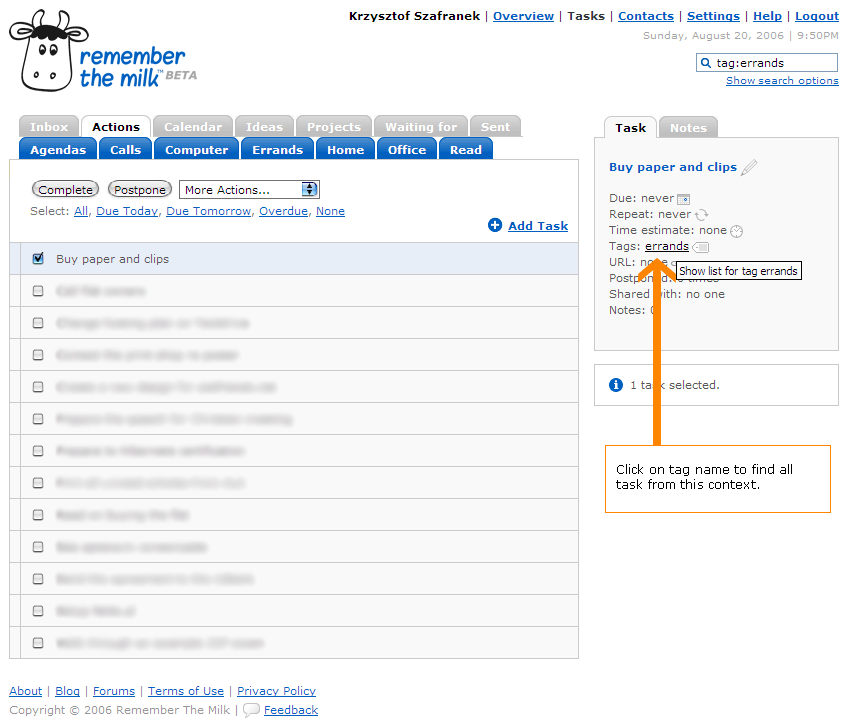
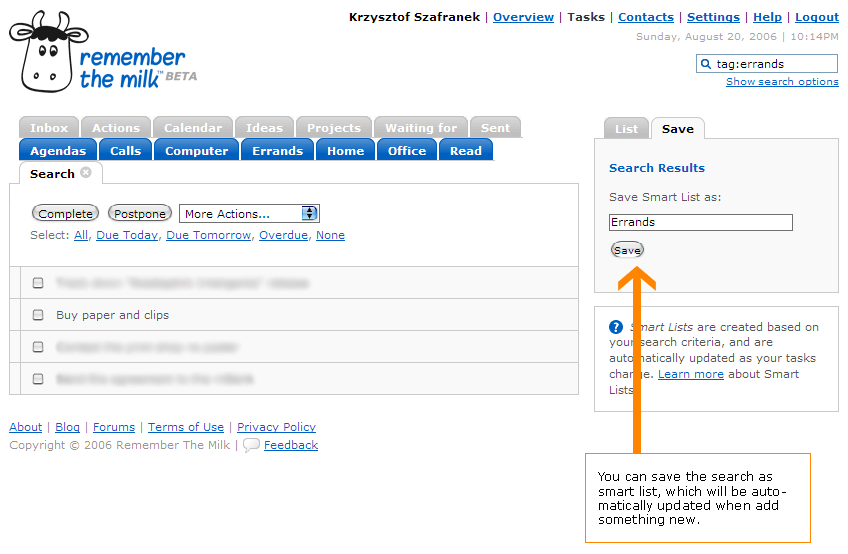
When you click a tag name, RTM will show you all related tasks. You can save this search as a smart list and use later to see everything that can be done in a given context. A smart list gets automatically updated whenever you add something that matches its search criteria.
In order to have the system work for you, you need to place there all the “stuff” as soon as it appears. It’s also important to devote some time to review your actions and projects regularly, ideally once a week.
Remember The Milks makes it easier, since it is really fun to work with. Don’t be afraid to give it a try!
MiMaS
Sure I will ;-)
MiMaS
So I did…
Well, that’s true. But still there are some annoying issues.
First of all – keyboard shortcuts are unpleasantly mixed with shortcuts of my browser (Opera). For example when I hit [1] or [2] (probably the most useful keyboard shortcut in Opera, I use it all the time) I set new priority to current task instead of going to prev/next tab in browser :-/ Why can’t I just turn those shortcuts off?
Anoter issue – why can’t I set the order of tasks on the list? Prioritizing helps a bit, but still this is not very useful. How can I mark some task as ‘very important’ (priority 1) but to do after some other ‘not so important’ (priority 2) task? I don’t know if it’s ok with GTD method, but I just would like to do this…
Szafranek
Ad. 1: you’re right. I reported this problem.
Ad. 2: Do you mean some kind of the task queue? Tasks are ordered by date, priority and alphabetically. RTM is designed to be simple, so maybe that explains lack of custom task reordering.
Your assumption is right: it’s explicitly against GTD :). Allen says — and I agree with him — that it’s much better to order tasks by:
Basing solely on priorities is much more artificial and rarely works.
Szafranek
PS. Consider buying a book. Maybe the fan is not the best person to recommend anything in objective manner, but anyway, I think it’s worth its price.
Piotr Usewicz
Great post! I have already implemented it in RTM :)
MiMaS
Do you know any good offline software for GTD? Ideally it should work both in Windows and Linux…
Szafranek
I was looking precisely for web application, so I haven’t tried desktop apps. Google brings up plenty of GTD tools, but I can’t recommend anything particular.
Brian Rush
As a desktop GTD app, I like MyLifeOrganized. Check it out at mylifeorganized.net. I like the fact that it can work with MindManager too.
a
Also if you know how to set up a local Apache servers you could try Tracks.
There is also an article on how to add tracks to a thumb drive to bring it anywhere you need.
CodeCube.NET » On Personal Productivity
[…] http://szafranek.net/blog/2006/08/22/getting_things_done_with_remember_the_milk/ […]